/**********************************************************************
  Filename    : Control LED through Infrared Remote
  Description : Remote control the LED with the infrared remote control.
  Auther      : www.freenove.com
  Modification: 2022/10/26
**********************************************************************/
#include <Arduino.h>
#include <IRremoteESP8266.h>
#include <IRrecv.h>
#include <IRutils.h>

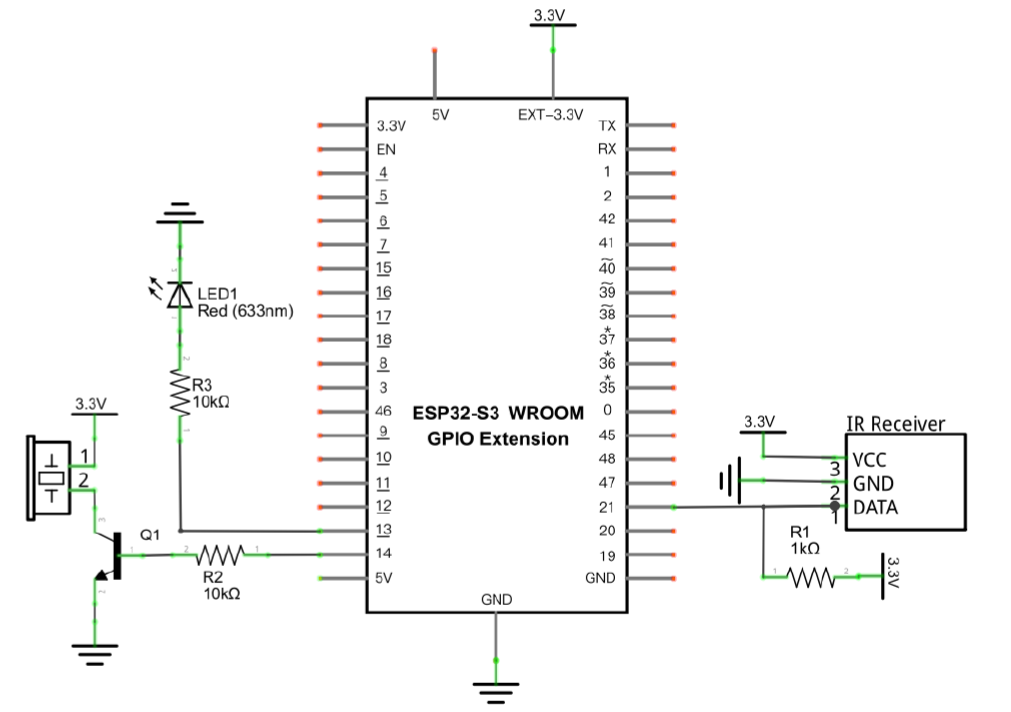
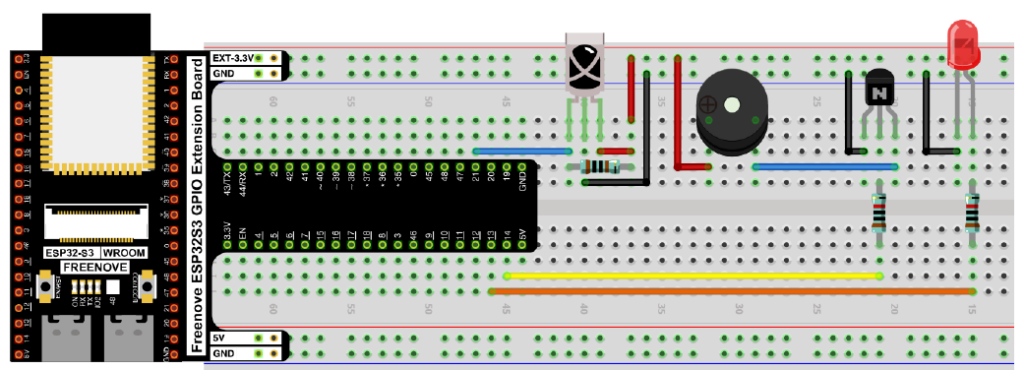
const uint16_t recvPin = 21;  // Infrared receiving pin
IRrecv irrecv(recvPin);       // Create a class object used to receive class
decode_results results;       // Create a decoding results class object

int ledPin = 13;              // the number of the LED pin
int buzzerPin = 14;           // the number of the buzzer pin

void setup()
{
  //Initialize the ledc configuration
  ledcSetup(0,1000,8);                  //set the channel,frequency,esolution_bits
  ledcAttachPin(ledPin,0);              //attach the channel to GPIO pin
  pinMode(buzzerPin, OUTPUT);           // set buzzer pin into output mode
  irrecv.enableIRIn();                  // Start the receiver
}

void loop() {
  if (irrecv.decode(&results)) {        // Waiting for decoding
    handleControl(results.value);       // Handle the commands from remote control
    irrecv.resume();                    // Receive the next value
  }
}

void handleControl(unsigned long value) {
  // Make a sound when it rereives commands
  digitalWrite(buzzerPin, HIGH);
  delay(100);
  digitalWrite(buzzerPin, LOW);
  // Handle the commands
  switch (value) {
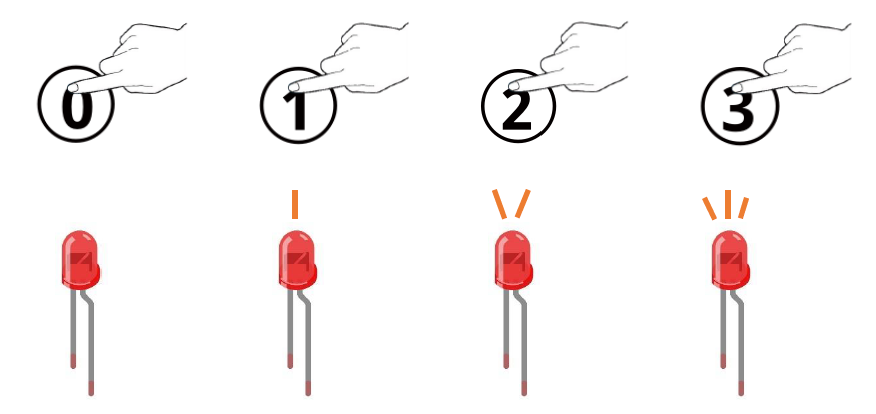
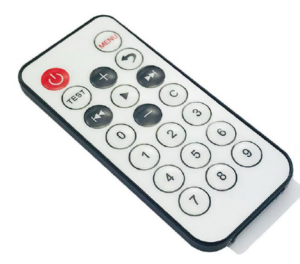
    case 0xFF6897:              // Receive the number '0'
      ledcWrite(0, 0);          // Turn off LED
      break;
    case 0xFF30CF:              // Receive the number '1'
      ledcWrite(0, 7);          // Dimmest brightness
      break;
    case 0xFF18E7:              // Receive the number '2'
      ledcWrite(0, 63);         // Medium brightness
      break;
    case 0xFF7A85:              // Receive the number '3'
      ledcWrite(0, 255);        // Strongest brightnss
      break;
  }
}